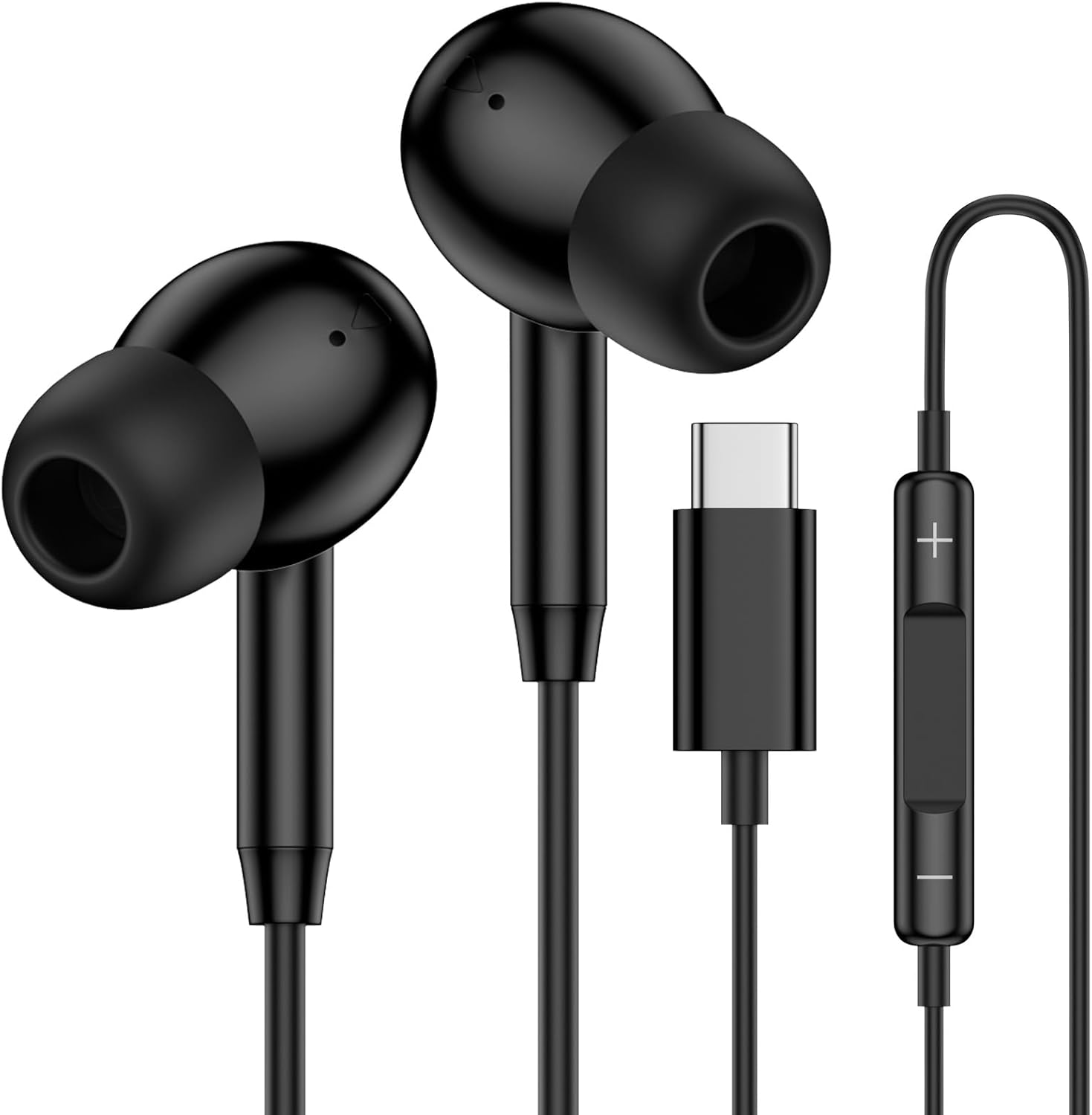
USB C Samsung Earbuds Wired Ear Buds for Samsung Galaxy A16 A17 A36 5G A26 S25 Edge A56 S25 Ultra Plus S24 FE A35 Z Fold 6 USBC In-Ear Headphones Wired Type C Earbud Earphones Headsets with Microphone
About this item
Warm Tips: 1. This is a USB-C headphones. Please ensure your phone has a USB-C port without 3.5mm jack. 2. Please ensure your phone case does not cover the USB-C charging port, otherwise the USB-C end cannot be inserted. 3. Some devices support music playback only, phone call functionality is not available. Such as MacBook, iPad Pro, and Samsung S8/S9/Note 5. 4. If you experience no sound, please adjust the volume by sliding the switch up or try plugging the headphones into another port. USB C Wired Earbuds Compatible Models: iPhone 17 16e 16 Pro Max/16 Pro/16 Plus/16,15 Pro Max/15 Pro/15 Plus/15 Samsung Galaxy S25 Edge S25 Ultra S25+ S25 S24 S23 S22 S21 S20 series Samsung Galaxy A17 A16 5G A26 A36 A56 A35 A55 A54 A34 A33 A53, Z Fold 7 6 5 4, Z Flip 7 FE 7 6 5 4 3 and more USB-C devices without 3.5mm jack port HiFi Stereo Sound Quality The samsung a36 wired headphones usb-c feature an integrated state-of-the-art DAC chip and a 14.2MM dynamic driver, providing exceptional stereo audio performance with clearer mids and deeper bass. 4FT Type C Samsung S25 Ultra Wired Eeadphones The 4-foot usbc samsung s25 edge wired earphones allow you to comfortably connect your device at a convenient distance. Headphone Cable Clips Included The included clips can be attached to your clothing while exercising, working, or sleeping to prevent tangling of the earbud cords. Ergonomic In-Ear Headphones The samsung a16 wired ear buds are designed for a snug fit during extended listening sessions and rarely slip out of place. Key Functions Play/Stop Music: Press the middle button Answer Call: Click the middle button End Call: Press the middle button again Reject Call: Press and hold the middle button for 2 seconds Next Track: Triple click the middle button Previous Track: Double click the middle button Control Volume: Use [+] [-] volume buttons
Updated recently
USB C Samsung Earbuds Wired Ear Buds for Samsung Galaxy A16 A17 A36 5G A26 S25 Edge A56 S25 Ultra Plus S24 FE A35 Z Fold 6 USBC In-Ear Headphones Wired Type C Earbud Earphones Headsets with Microphone
Amazon Deal
Updated recently
You'll be redirected to amazon to complete your purchase. SmartSteals may earn commission on qualifying purchases.
About this item
Warm Tips: 1. This is a USB-C headphones. Please ensure your phone has a USB-C port without 3.5mm jack. 2. Please ensure your phone case does not cover the USB-C charging port, otherwise the USB-C end cannot be inserted. 3. Some devices support music playback only, phone call functionality is not available. Such as MacBook, iPad Pro, and Samsung S8/S9/Note 5. 4. If you experience no sound, please adjust the volume by sliding the switch up or try plugging the headphones into another port. USB C Wired Earbuds Compatible Models: iPhone 17 16e 16 Pro Max/16 Pro/16 Plus/16,15 Pro Max/15 Pro/15 Plus/15 Samsung Galaxy S25 Edge S25 Ultra S25+ S25 S24 S23 S22 S21 S20 series Samsung Galaxy A17 A16 5G A26 A36 A56 A35 A55 A54 A34 A33 A53, Z Fold 7 6 5 4, Z Flip 7 FE 7 6 5 4 3 and more USB-C devices without 3.5mm jack port HiFi Stereo Sound Quality The samsung a36 wired headphones usb-c feature an integrated state-of-the-art DAC chip and a 14.2MM dynamic driver, providing exceptional stereo audio performance with clearer mids and deeper bass. 4FT Type C Samsung S25 Ultra Wired Eeadphones The 4-foot usbc samsung s25 edge wired earphones allow you to comfortably connect your device at a convenient distance. Headphone Cable Clips Included The included clips can be attached to your clothing while exercising, working, or sleeping to prevent tangling of the earbud cords. Ergonomic In-Ear Headphones The samsung a16 wired ear buds are designed for a snug fit during extended listening sessions and rarely slip out of place. Key Functions Play/Stop Music: Press the middle button Answer Call: Click the middle button End Call: Press the middle button again Reject Call: Press and hold the middle button for 2 seconds Next Track: Triple click the middle button Previous Track: Double click the middle button Control Volume: Use [+] [-] volume buttons
Key Features
- ✓Prime Eligible
- ✓Quality Product